About Perfect Strike Demo: Follow the Trophy Respins
This is a third-party free-play demo, not real-money play on Demo slot pg. Availability and access checks are controlled by the provider. Demo results do not predict future outcomes.
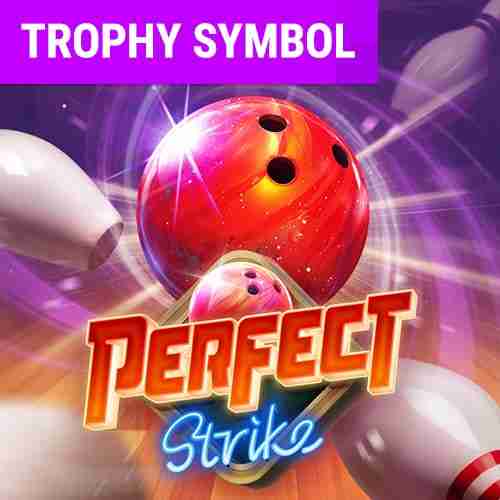
Perfect Strike turns bowling imagery into a three-by-three reel display. The Trophy is the symbol to track if the board moves into a respin: trophies already on the reels can stay in place while the remaining positions are evaluated again. The same demo also has a separate free-spin feature. This guide explains how to recognize the two sequences without relying on the animation or the virtual-credit total alone.
Read the nine positions before the lane graphics
Choose Play for free in the player above. The provider’s art uses bowling lanes, balls, gloves and other equipment to frame the game. Those images establish the setting, but you are looking at three vertical reels with three positions apiece, not a target lane that responds to how precisely you press a button. Use the in-game information panel to identify the Trophy symbol and find the boundaries of the nine-position board.
It helps to divide the display into three areas: the reel grid, the banner or result area, and the controls for the demo session. The Trophy rule is read from the grid. The banner can identify a transition after it happens, and the virtual balance reports the ongoing session. None of those areas alone gives you all the information needed to explain an animation.
Three trophies start the held-symbol respin
The official rules describe a respin when three or more Trophy symbols appear on the reels. Count Trophy positions across the board rather than counting all the bowling objects on the screen. A ball, pin, or other piece of themed artwork is not automatically a Trophy. The rules do not require you to draw a straight horizontal line through the trophies to identify the trigger.
Once the respin starts, the trophies already present remain where they landed. The old and new positions therefore matter more than the fact that a reel animation is playing. Choose one held Trophy as a landmark, then compare its position with one that was empty at the start of the sequence. The held symbol is the stable reference; the other position is where you can observe whether something was added.
What carries the sequence forward
A Trophy respin is not another round of the full ordinary symbol set. PG SOFT’s rules say only Trophy symbols can be added in that sequence. If at least one new Trophy comes in, the reels can respin again with the previously landed trophies held. If no new Trophy appears, the respin sequence ends. The result is assessed from the total number of trophies on the reels at the end.
Imagine the first respin starts with three trophies, and one more appears in the bottom-middle position. You now have an added trophy to distinguish from the original three. If the next board produces no additional trophy, the example has reached the stopping condition. This fictional board is a reading exercise, not a representation of a typical result or a suggestion that you can make that sequence happen.
Use a still example in the official rules if the changes move too quickly. Read the trigger board first, the held positions second, and the final count last. This order is more informative than starting with whatever amount the interface displays. The amount does not tell you on its own how many positions were held or what ended the sequence.
Do not confuse the Trophy respin with free spins
Perfect Strike’s provider introduction also describes a separate ten-free-spin feature that can begin at random and use multipliers. This is not the same statement as the requirement for starting a Trophy respin. One rule concerns three or more particular symbols on the board. The other concerns a different sequence and a counter for its progress. Check which name the interface is showing before trying to interpret a moving reel or numeric label.
Two on-screen numbers may answer completely different questions. A remaining-spin count reports how much of the feature is left, whereas a multiplier affects the calculation of an eligible game result. The virtual balance at the bottom describes neither of those conditions by itself. In the help panel, find a multipliers example and a Trophy example and compare where the relevant numbers appear. The counter, the multiplier, and the number of trophies are not interchangeable.
Use the rules as a viewing aid
A useful first pass takes place in the information menu. Locate the Trophy artwork and identify the visual example that first shows three or more. Next, find the example that shows a respin and compare which positions stay fixed. Finally, read the separate part of the guide showing the free-spin indicator. You can learn the differences whether or not either sequence appears during your own free-play visit.
On a phone, try to keep the top and bottom of the grid visible at the same time. If only the center positions fit, an added trophy at an edge can slip out of view. If the provider offers a full-screen view, it can make those positions easier to compare. The official example can do the same job without requiring an open game frame.
When comparing two consecutive boards, separate the bowling-lane backdrop from the Trophy positions. The lane graphics can remain in view throughout an event, while the set of occupied cells can change. Counting those cells before and after the reels settle gives you a concrete observation to compare with the rule.
What the free-play display can tell you
A short demo can show where the information menu and counters sit, how the board marks its held positions, and how a separate sequence is labeled. It cannot establish how often a respin happens or how many trophies will land next time. A trophy image is a rule symbol, not a signal of a bowling skill or a prediction about a future result.
The figures in this Perfect Strike frame are virtual credits. They cannot be withdrawn, exchanged, or redeemed. If the provider’s free-play frame is not available, there is no need to supply account or payment information to recover it. The best alternative is to read the provider’s layout illustrations and come back only if you still want to see the presentation.
Sources and demo availability
See PG SOFT’s Perfect Strike introduction and its English game information. The existing discovery listing is retained for attribution. The provider controls access to its frame. For more information about these free-play pages, read the website policies.