About Zombie Outbreak Demo: Read the Expanding Wilds
This is a third-party free-play demo, not real-money play on Demo slot pg. Availability and access checks are controlled by the provider. Demo results do not predict future outcomes.
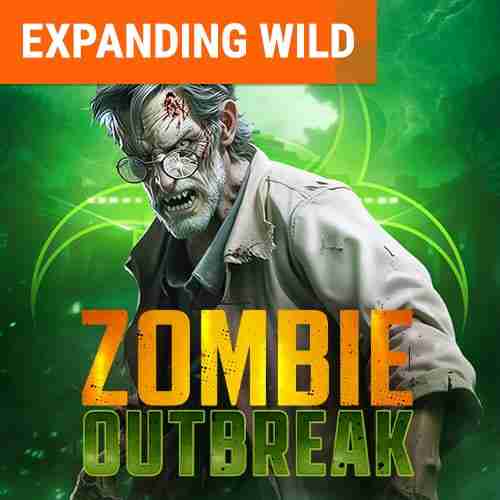
Zombie Outbreak gives two of its five reels extra height and reserves its expanding Wild feature for those same two columns. The most useful way to look at this free-play demo is to follow the movement from a Wild on the board to the multiplier display below it. A separate Scatter rule starts the free-spin sequence. The two things are easy to confuse when the artwork, counter, and reel lights all change at once.
Get your bearings in the five-reel layout
Choose Play for free in the demo frame and wait for the title screen to clear. The fictional outbreak is presented through nighttime city scenes, characters, and horror sound effects. If you would rather read the rules without the sound, use your device’s volume controls. The sound cues are not necessary for following the layout or checking the information panel.
Count the vertical columns from left to right. The first, third, and fifth have four positions each. The second and fourth have five each. This creates an alternating outline, rather than a rectangle with an equal number of cells in each column. Reels two and four are the most useful landmarks because PG SOFT’s rules link them to the expanding Wild behavior. When you open the help panel, compare its example with the positions on either side of the shorter central reel.
See the difference between a Wild and an expanding Wild
The rules describe a transformation if a Wild appears on reel two, reel four, or both. In the appropriate column, the Wild becomes an expanding symbol with three multiplier values inside it. This is an event in a specific reel, not a claim that the entire play area changes or that any abrupt screen flare is related to the feature.
Pick one of those two reels to observe if the demo shows the transformation. First locate the original symbol. Next see how much of the column the expanded symbol occupies. Finally, identify the values attached to it. This ordering makes it easier to separate a feature number from the decorative graphics next to it. Use the game’s symbol glossary when uncertain whether an icon is the ordinary Wild or the expanded one.
Consider a hypothetical board with a Wild near the top of the fourth reel. If that image becomes a taller object with several numeric labels, you have two kinds of change to inspect: its footprint on the board and its values. The footprint tells you where the feature is displayed. The numbers tell you what it contains. The example is a reading aid, not a forecast that a Wild will land in that position.
Read the three values in the right place
Each expanding Wild starts with a set of three multiplier values. These are not automatically three amounts added to the visible demo balance. The provider describes collecting the lowest value from each expanding Wild before a qualifying virtual result is paid. A value collected from the symbol is shown in the area beneath the reels. Compare where a number was before the indicated collection and where the interface presents it afterward.
Do not use the largest number displayed on the symbol as a shortcut for reading the result. A value printed inside the expanded object is not necessarily the value that moves below the board. If there are expanded objects on both eligible reels, read each one separately first. Look to the in-game information screen for the calculation instead of trying to infer it by adding or multiplying all the visible numbers yourself.
The provider says an expanded symbol remains through the sequence until the spin ends or its three values have been collected. This is why noticing a symbol across more than one beat in an animation does not necessarily mean a second one just appeared. If you want to tell them apart, identify the column and note whether the same expanded object is still there or the screen has moved to another event.
The Scatter route is a separate rule
PG SOFT’s launch description says three Scatter symbols can trigger fifteen free spins. That is distinct from a Wild appearing on an eligible reel and displaying multiplier values. Start with the Scatter artwork in the symbol key; it is the simplest way to distinguish the two routes when a busy reel screen shows several highlighted objects together.
During a feature demonstration, keep three pieces of information separate: the symbol that opened the sequence, any count of remaining free spins, and numbers linked to the expanding Wilds. The first describes the transition into the sequence; the second reports its progress; the third relates to the current round’s calculation. Watching only the balance at the bottom obscures those differences.
Most of what you need is in the information panel
A few base rounds can help you locate the long and short reels, but you do not have to continue until both features occur. The provider’s help includes annotated feature screens that can be inspected without waiting for another result. Look for the expanding Wild example first, then open the section for free spins and check how the game labels them differently.
On a small display, keep both the reel area and the lower indicator visible if possible. Looking at only the top half of the frame may show how the symbol expanded while hiding where its value was collected. If the frame is cropped or the interface is loading slowly, opening its information panel again is more useful than spinning quickly and hoping to recreate a particular animation.
What the demo does not tell you
Virtual credits have no cash value, and results cannot be redeemed. This demo can show how Zombie Outbreak draws a feature but cannot show that a certain sequence will recur, that an expanding Wild is due, or how often free spins occur in another session. If you have located the eligible reels, distinguished expanding Wilds from the Scatter trigger, and found the lower indication of a collected multiplier, you have learned the essentials without needing a specific outcome.
Sources and availability
Game details are based on PG SOFT’s Zombie Outbreak launch description and its English game rules. The original discovery listing is credited separately. The provider hosts the frame and determines availability. For information about this website’s demo service, see the website policies.