About Eureka Legends Demo: Finding the Extra Multiplier Reel
This is a third-party free-play demo, not real-money play on Demo slot pg. Availability and access checks are controlled by the provider. Demo results do not predict future outcomes.
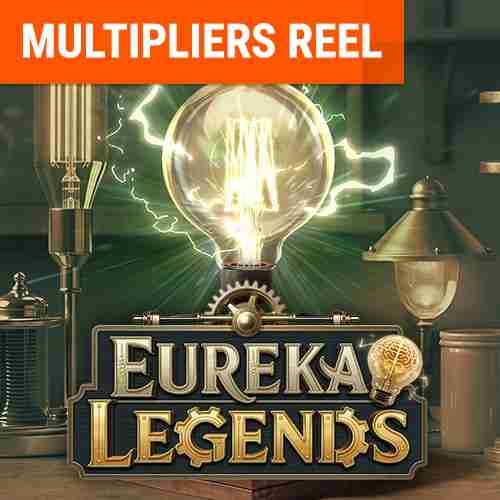
Eureka Legends has two displays to read: a six-column symbol board and an extra multiplier reel on its left. PG SOFT uses a laboratory setting and characters inspired by figures from the history of science. The free-play demo gives you a way to see how the board changes while some symbols stay in place, and to tell those changes apart from the numbers on the extra reel.
Find the board and the separate reel
Choose Play for free above and let the provider’s frame finish loading. On the main screen, identify the rectangular area where the illustrated symbols appear. It contains six columns and five rows. The narrow display to the left is not a seventh column of ordinary symbols. It is the extra multiplier reel. On a phone, check that the frame has not cropped this left edge before you use the game’s examples or try to read an animation.
The laboratory imagery includes characters inspired by Galileo, Newton, Leonardo da Vinci, Tesla, and Einstein. Their portraits belong to the game’s fictional setting. They give you convenient landmarks when you scan the grid, but a portrait alone is not a cue that a particular feature is about to appear. Open the provider’s symbol key if you need to distinguish a decorative character from a symbol named in the rules.
Read what stays still during a collapse
PG SOFT describes this as a collapsing-reel game with sticky winning symbols. The important distinction is between positions that remain occupied by matching symbols and positions that change as the board continues. The screen can show movement around a retained symbol without that symbol itself moving to a new cell. Start by fixing your attention on one column rather than trying to follow the whole display at once.
Imagine an example in which a highlighted symbol near the upper middle of the board remains in place while another area receives new tiles. That does not make the visible scene look entirely new or entirely unchanged. To read it, note the original position, watch the neighboring area, and then compare the next view with the first one. This is a way to make sense of the animation, not an example of a result you can summon by pressing the controls in a particular order.
Keep the multiplier reel in the picture
The additional reel displays numbers outside the main symbol field. PG SOFT’s release description distinguishes the appearance of that reel from the condition that activates a value. Do not assume that every visible number applies to the current result just because it is displayed alongside the board. The official documentation is the appropriate reference for the activation condition and how the interface indicates it.
For a first look, scan the screen from the board outward. Locate the highlighted symbols on the main field, check the corresponding information on the left, and then read the result shown for that sequence. Reading only the side reel skips the part of the display that explains whether its number is relevant. Reading only the amount at the end skips the part that shows how the display got there. The two steps are most useful together.
There is also a difference between seeing the same number stay on screen and seeing that number applied again. If two animated frames look similar, note which row or group is highlighted before deciding that another event occurred. The point of doing this in free play is to understand how the game communicates its state using position and color, not to draw conclusions from a small set of virtual results.
Recognize the shift into free spins
According to PG SOFT, three Scatter symbols trigger eight free spins. Start by identifying the official Scatter symbol in the information panel. It is not the same kind of indicator as a number on the extra reel. A changing count of available free spins is another distinct number. When the free-spin screen opens, identify the feature label first so you know which set of rules you are reading.
The developer also says the multiplier reel can display higher values during the free-spin feature than an ordinary view of the screen might suggest. Treat those values as part of the provider’s rules, not as a measure of what you will see in a short demo. It is possible to understand the shift in screen layout and the role of the left reel without seeing an unusual value. If the feature does not appear during a brief visit, use the examples in the official rules instead of waiting for a particular outcome.
Make the interface readable on your device
On a narrow phone display, the left reel and the outermost symbol column are easy to overlook. If the browser or player offers full screen, use it when that makes the labels easier to read. On a desktop, return the browser to its usual zoom level if either edge of the frame is clipped. A good view shows both the extra reel and all six ordinary columns at once.
If an animation passes too quickly, return to the rules rather than trying to reproduce it. Compare three separate views: the main board before the symbols move, the board with retained positions, and the illustration showing the side reel. In each, ask what is changing and what stays fixed. The question is especially useful when the changing part of the screen is brighter than the remaining symbols and naturally draws your attention away from them.
What the virtual numbers mean
Virtual credits are counters in this demo and have no cash value. The balance is not the same number as the multiplier display or the result for a single sequence. A multiplier describes a calculation under the game’s rules, while the balance reflects the session as a whole. The demo is useful for checking that you can tell those labels apart, not for forecasting future results or judging a real-money service.
Sources and availability
The board layout, collapsing symbols, extra reel and Scatter rule are described in PG SOFT’s English game information and its Eureka Legends release announcement. The original demo listing is credited for discovery. The player is hosted by the provider and its availability may vary. See our website policies for information about the free-play service.