About Graffiti Rush Demo: How Matching Symbols Stick
This is a third-party free-play demo, not real-money play on Demo slot pg. Availability and access checks are controlled by the provider. Demo results do not predict future outcomes.
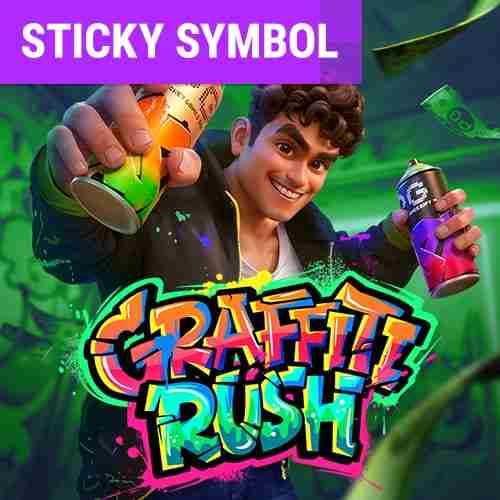
Graffiti Rush follows Jerry, a young artist who turns to street art instead of taking a conventional job. A bright four-by-four grid gives the free demo its starting shape. The important change in the feature rules is less obvious than a spray of color: a symbol can become sticky and keep its position during the rest of free spins. This guide shows how to tell that change from a temporary highlight.
What Jerry’s story adds to the pictures
The provider’s story gives Jerry a clear decision before the game starts. Rather than accept one of the expected career paths, he chooses to make street art. In the game’s fictional setup, an art competition gives him a place to show his work. The reels do not let you paint a wall, choose lettering, or enter a contest. The story gives the graphic design a reason to use sprays, sharp outlines, and conspicuous changes of color.
One provider illustration shows a character holding spray cans after the reel display has reported a result. That is an example of how the artist framing can return outside the grid. It is not an extra symbol position. When looking at the game, compare the area that holds character artwork with the square that holds the symbols. The edge between those two areas is a better guide to what the software is counting than the brightness of an effect.
A square grid gives you fixed positions
The playing display has four reels and four rows. Unlike a grid with an odd number of columns, there is no single exact center column. There are two middle columns and two outside ones. Use one outer edge as a reference if you need to locate the same cell in consecutive diagrams. The screen can animate several objects while the underlying grid remains square.
That outline is especially helpful when learning what the provider means by a sticky symbol. It lets you track a location rather than a color. If an icon is drawn with a new picture in a place you remembered, ask whether the position itself was retained. The move is not necessarily to a new cell. Starting from the left edge or an outside row makes that easier to check on a small display.
How the Scatter can turn into a sticky position
PG Soft’s illustrated sheet describes the free-spins feature as beginning with ten spins after three or more Scatters. At the start of that feature, the Scatters shown on the reels become sticky symbols. In that sentence, the Scatter names what was present at the trigger. Sticky describes how a location is treated once the mode starts. You should read those as two stages of the feature, not as two permanent names for one piece of art.
During a free spin, the guide says the sticky symbols reveal an ordinary symbol chosen by the game; it excludes Scatter and Wild from that selection. When other symbols on the reels match the revealed symbol, the matching positions become sticky too and are retained for the rest of the feature. This is the visual effect the guide is explaining: new positions can join the group, and you can read that change even when the game briefly overlays the grid with larger artwork.
To follow an example, first locate the original sticky positions and read what they show. Then look for a matching image elsewhere on the grid. The example can show the matched position joining the group, rather than the same colored glow merely crossing several cells. The same location may matter in more than one picture, so keep its row and column in mind before attending to the colors around it.
One way to read the rule without tracking the animation is to sketch four rows and mark the cells described in a still image. The useful distinction is between an image staying visually identical and a position being retained by the feature. A position can remain marked as sticky even when its picture is revealed anew.
Separate a multiplier from a picture match
The guide also describes multipliers in the feature, and its examples can include a large numbered effect. A number shown with a multiplier label is a different readout from the picture revealed by a sticky position. A match concerns the symbol artwork. A multiplier concerns a calculation. If the example includes a remaining-spin label, that tells you where it is in the mode rather than being another multiplier to apply.
Nothing about the street-art theme gives you control over which image is revealed. In the free preview, the selection and transformations are acts of the software. The useful part of an illustration is being able to say which picture stayed, which joined it, and which number described the example. You can do that from the information panel without waiting for an identical outcome.
A quick walkthrough in the free player
Use the free-play control above this article, wait for the main display, and find the outside edges of the square. Open the information panel and locate the Scatter illustration. Then follow the first example of a sticky symbol and see whether a later example depicts a matching cell becoming retained. Return to the game and check how easy it is to see those positions at normal player size.
If the artwork is especially bright on your screen, try comparing the symbol outlines before reading the colored animation. You can also use full screen where supported or mute the sound if you prefer to rely on visual cues. A short virtual-credit demo can help you judge legibility and notice how the art frames the mechanic. It cannot tell you what the next round will do.
Another useful test is to compare the screen just before and after a larger overlay. If the four-by-four outline is still in the same place, the overlay is not itself a new reel. Look inside the square for the part of the example the sticky-symbol rule actually changes.
References and availability
PG Soft’s Graffiti Rush announcement describes Jerry and the four-by-four layout. Its illustrated rules document the Scatter and sticky positions. The demo was first identified through the original directory entry. The provider serves the embedded player at public.pg-demo.com and controls availability, settings, and languages.
Adults only. This is a free preview with no deposit or cash-out. See our website policies.