About Mythical Guardians Demo: Follow the Framed Symbols
This is a third-party free-play demo, not real-money play on Demo slot pg. Availability and access checks are controlled by the provider. Demo results do not predict future outcomes.
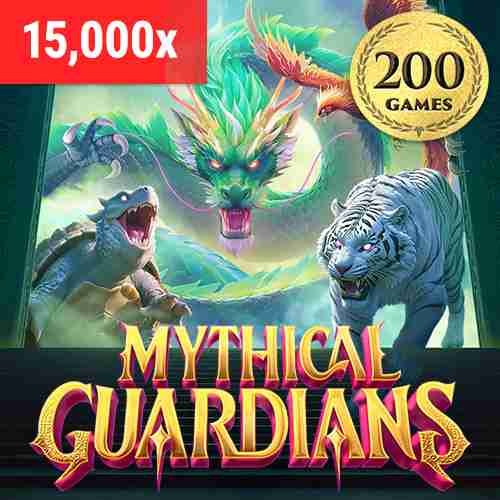
The Azure Dragon, White Tiger, Vermilion Bird and Black Tortoise give Mythical Guardians its setting. On the board, the useful visual cue is the border around certain symbols. A participating framed symbol can become a Wild and affect positions along its row or reel.
What to find before you start
The player above opens the free-play version of Mythical Guardians. Give the title screen time to finish, then look for the five columns, four rows and the border around any framed symbol without starting another round. Open the game’s own information screen for its symbol key. The four guardian figures are the story’s visual anchors; the bordered symbol and position grid are the functional anchors for reading the feature. Try finding the outermost cell on each side after the information window closes. Those edges are enough to work out which highlighted positions remain in the same row and which are in the same reel. Note where the key or rule illustration sits so you can bring it back after an unfamiliar result.
The setting borrows four beings from Chinese mythology: the Azure Dragon, White Tiger, Vermilion Bird and Black Tortoise. Knowing their names helps you recognize the theme, but the artwork alone does not identify a framed symbol. Use the symbol guide to compare ordinary images with the kind of framing relevant to the rule.
Watch the rows and columns around a frame
PG SOFT describes a framed symbol involved in a winning combination turning into a Wild. The effect can activate positions along the same row or reel. Start by finding the original border, then use the outlines of the board as a reference when you follow the direction of an effect.
There is a practical difference between an effect spreading sideways and one spreading up or down. To see it, pick the original symbol as your reference point. The positions to either side are in the same row; positions above and below are on the same reel. That simple comparison makes the official illustrations easier to follow.
Keep these two parts of the interface separate
The Scatter condition is separate from those directions. The official description identifies three Scatter symbols as the trigger for a ten-spin free-spin feature. A frame is not the same kind of signal as a Scatter, even when its outline is bright. Compare their appearances in the guide rather than assigning both the same role.
A transformed Wild and the result shown later also answer different questions. Start with the symbol at the center of the effect, then trace the relevant neighboring positions. Only afterward read the value reported for the event. If all you have is the ending value, it does not show the route the effect took.
Read two different situations side by side
Imagine a framed symbol near the center becomes a Wild and the display emphasizes other positions along its row. Trace the row from left to right before comparing it with the original frame. If you started at the top of the reel instead, you would be looking along a different axis and could miss which positions the game highlighted.
Now imagine the cue is a group of Scatters rather than a frame. The question changes from direction to count. Read the number of eligible icons, then see what the game calls the next screen. The player can learn that distinction from the help illustrations without waiting to see either event happen in the demo.
Both situations are hypothetical examples of how to read the screen in Mythical Guardians. Their value is in distinguishing a starting cue from a visual consequence. The provider’s rules are the reference for that distinction. If you only see the ordinary game, you can still check each example in the help panel and observe where its graphics and numbers would be reported. There is no need to keep trying to make either scene appear.
What to check in the provider’s information panel
Read the framed-symbol entry beside an ordinary symbol example. Describe the position in plain terms, such as the second column and third row. This gives you a stable location to refer back to if an animation changes the artwork at that point. It also helps you distinguish border effects from the actual symbol.
Then compare the transformation diagram with the Scatter explanation. Notice whether the example describes a row, a reel or a count of separate symbols. If you keep those three categories distinct, you can use the information menu as a quick lookup instead of trying to track every image from every part of the screen.
How do I tell the two apart? The first comparison is frame versus Scatter. The second comparison, within the framed-symbol effect, is horizontal versus vertical. Put the final value last because it sums up a simulated event rather than identifying which path the animation followed to get there.
Do I need to see the feature in free play? No. The rule diagrams can show the two directions, and the symbol guide can show how the Scatter is drawn. A brief view of the ordinary board may be enough to learn where the five columns and four rows sit. You need not stay in the player until a named effect appears.
Use the free-play screen as a reference
The display gives you a way to observe a transformation without paying anything on this site. A frame effect in one round does not tell you what another symbol will become later. All credits remain in the simulation and have no cash value or prize redemption on this page.
Results in Mythical Guardians describe what happened on this simulated board. They do not establish a future sequence, the value of a prize, or the terms of another version of the game. In particular, each simulated feature can be understood from the corresponding rule example without waiting for a round to match it exactly. You can leave the player after checking the part of the interface you came to understand.
Source notes and availability
This guide uses PG SOFT’s official Mythical Guardians information for the game rules. The official game catalog page identifies the title. The existing demo listing is credited for discovery, not for this text. The free-play frame is hosted by the provider and may have its own availability or language options. See the website policies for more about the service.