About Chicky Run Demo: Road Crossing
This is a third-party free-play demo, not real-money play on Demo slot pg. Availability and access checks are controlled by the provider. Demo results do not predict future outcomes.
The free Chicky Run Demo swaps a grid of reels for a city street. A cartoon chicken waits in the middle, the player chooses a side, and a vehicle appears on one of the sides. A run is broken into individual choices rather than a continuous dash across the street. The familiar road-crossing picture makes the scene easy to read, but the provider describes a game of chance, not a reflex test. The embedded player is a virtual-credit preview and does not accept deposits or offer withdrawals.
Why the road has a middle
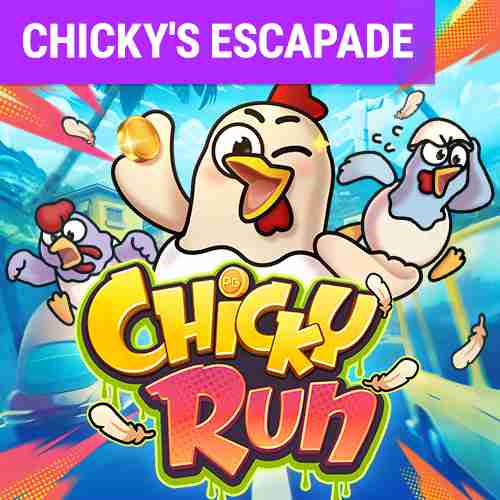
PG SOFT introduces Chicky Run with brightly colored buildings, traffic and a chicken with a raised wing. The playable view is more restrained than the cover. It uses the center of the street as a waiting area and leaves the sides as the two possible directions. The middle is a useful visual reference for where one stage stops and the next begins. The game does not ask you to steer the character freely around the map or plot a route from one block to another.
Look for three selection controls under the chicken: the arrow to the left, the arrow to the right and a shuffle symbol. The shuffle control stands for Random. It is not a third physical lane for the chicken to enter. The animals can sometimes appear as a group in the published screenshots, but the visible left and right choices still describe where the group goes for that stage. They do not ask you to direct each chicken individually.
What a lane choice can, and cannot, tell you
In the rules, selecting a direction moves the chicken to that side. The vehicle that settles the round appears randomly on one side or the other. A vehicle on the opposite side lets the chicken get through that stage; traffic on the chosen side ends the attempted crossing. The road is a way to show the result of the choice, not advance notice of where the next vehicle will be. There is no useful timing signal to infer from the previous vehicle.
That distinction also applies to the warning artwork. The manual’s examples show a colored warning area and a triangular sign around the hazardous part of the road. They help explain where the danger appeared in the resolved stage. They are not instructions telling you which button to use on a later one. Reading the road after the event is a better way to understand the interface than guessing a pattern from the cars or the background scenery.
The top row shows stages, not results in advance
The line of multipliers near the top follows the successful stages in a run. As consecutive crossings succeed, the game can move from one step to the next. Think of the line as a set of possible displays for a run rather than a promise about what your next screen will show. The introductory screen in the developer’s manual and the later crossing screens give the numbers different visual emphasis, depending on where the chicken is in the sequence.
For a first look, compare the top row with the number immediately above the chicken. One is a set of steps; the other is a value associated with the current state. The bottom credit display is separate again. A larger number above the character does not change the fact that the preview has no money balance. If you leave a run and return to the opening controls, use the interface labels to reorient yourself rather than treating a prior label as still active.
Collect ends a virtual run
The provider shows a Collect control after a successful stage. It is presented alongside the directional choices, which distinguishes two actions: ending the current sequence with its displayed virtual amount, or leaving it active for another stage. In this demo, Collect is not a withdrawal or a way to move money to any external service. It’s simply the name used in the game interface for closing a sequence on its current virtual result.
There is also an automatic selection countdown in the provider’s examples. Pick out where that label is shown while the controls are visible. It signals what the interface is doing when it is waiting for a direction; it does not predict traffic. If you are only reading the game, use the manual’s examples instead of keeping an active sequence open just to watch a countdown expire.
A slower way to read the animation
When viewing the free player, follow the chicken first, then the vehicle. The chicken’s position shows the selection that was used. The traffic and warning color show the outcome of that selection. Only after those settle is it worth checking whether the top multiplier display moved. Looking at those details in that order keeps the animation from turning into a blur of arrows and numbers. It’s especially helpful on a phone where the street perspective takes up much of the display.
If you have played other demos on this site, Chicky Run is a useful contrast. There is no payline to trace, no Wild to identify and no group of matching icons to count across reels. Its visual rhythm is a return to the middle, a choice between two sides and a one-stage result. The short sequence communicates the rules differently from a cascade, even though both can move through several screen states in one session.
Opening the demo and checking the source
Use Play for free above and let the opening art finish. Find the settings icon and read the on-screen explanation of the arrows before you begin. If the embedded view is too small to see both sides of the road, expand the view if your browser offers that control. You do not have to play through all the stages to understand how the side choice is represented. The reference illustrations themselves show both the waiting state and an example of the traffic warning.
The details on this page come from PG SOFT’s Chicky Run game information. The existing listing uses this demo availability reference. The game is hosted by the provider; language, access and current labels may vary. If you encounter different labels, trust the information in the free player for the version you see. The preview is for adults and doesn’t predict future outcomes. See the website policies for more information.