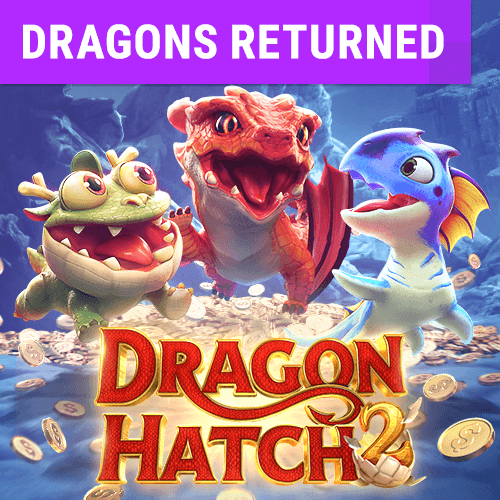
About Dragon Hatch 2 Demo: The Queen’s Board
This is a third-party free-play demo, not real-money play on Demo slot pg. Availability and access checks are controlled by the provider. Demo results do not predict future outcomes.
The free Dragon Hatch 2 Demo tells a different dragon story on a familiar five-by-five board. Its clearest landmark is a fixed Wild in the center, while the collection bar above counts qualifying symbols removed during the spin. Four named dragon events can change what happens around that center. This is the sequel, not the original Dragon Hatch. The embedded preview uses virtual credits only and has no cash value.
Find the sealed queen behind the sequel
PG SOFT’s story puts the dragon queen in stone and gives the apprentice dragon master the task of protecting her eggs and lifting the seal. That changes the focus of the sequel from simply discovering the hatchlings to seeing what the separate dragons can do. The eggs, a dragon-eye gem and the large figure above the board help establish the setting. The smaller icons in the grid and the labels in the game information are what matter to the sequence.
On the developer’s illustrations, the Wild uses a prominent W. That letter is easier to read than a guess about which dragon the artwork represents. The icon is a substitution symbol, whereas the dragon character shown near the nest is often part of the scene or the current feature illustration. Treat the fixed center, the evolving board and the story above it as separate layers of the interface.
The center stays while the board changes
The technical document shows a Wild at the third column and third row. It remains at that position through the rounds, giving you a reliable reference on a square board with twenty-five visible cells. Find it before trying to identify what moves in a refill. When another Wild appears elsewhere, it has a different location and may have been added by a different event. The W in the middle is the simplest way to recognize the normal layout as the surrounding symbols change.
The game counts qualifying groups of four or more matching symbols connected by horizontal or vertical sides. You do not have to trace a conventional line from the left side to the right to understand a group. For a visual example, three matching icons along an edge of a small shape and a fourth linked by its side can all be part of one connected cluster. A corner-only touch is not the same connection. The example explains the shape of a group, not the odds of seeing it.
The nest counter is collecting pictures, not cash
After a qualifying group resolves, the game can clear its symbols and let the ones above settle into the gaps. The removed winning symbols add to the counter above the board. This makes a single spin capable of several distinct views. A larger collection target can exceed the number of cells because the counter follows the sequence of cleared groups, not just a snapshot of the current layout. Read the number above the grid separately from a result banner below it.
The developer shows features occurring when an ordinary combination no longer continues the round and a collection threshold has been met. So the counter can tell you a threshold has been reached without announcing that the current picture has already changed. Let the state settle before checking which dragon the interface names. Knowing the labels is enough to understand the game without staying to reach a particular number.
Earth and Water make different changes
The Earth Dragon threshold is ten collected symbols in the developer’s guide. Its effect removes the lower-value pictures. Use the in-game table to see which icons the game classifies together. The green artwork may sweep over a wide area, but the rule is about a category of symbols disappearing. It is not an instruction to count every glowing spot as a Wild or a new result.
The Water Dragon comes at the thirty-symbol threshold. The sequel’s rule describes adding a chosen dragon or Dragon Eye picture vertically in the second column, and another in the fourth. Look just to the left and right of the fixed center to find those columns. This is a placement rule rather than a removal rule. It also differs from the original Dragon Hatch, whose Water event is described as adding Wilds rather than selecting those two vertical columns in this way.
Fire places Wilds; the queen uses the corners
The documented Fire Dragon threshold is fifty-five collected symbols. The feature can place a Wild at a random position in each of reels one, two, four and five. The list of columns is useful because none is the center reel. Read the new W markers around the fixed one rather than assuming the center itself is moving. The effect is not the original Dragon Hatch’s checkerboard placement rule.
At eighty collected symbols, the documented Dragon Queen event can add a Wild to each corner through the end of the spin and turn the lower-value pictures into higher-value ones. The four corners plus the fixed center form a recognizable pattern. One change concerns the location of the new Wilds; the other concerns which category of ordinary picture occupies the remaining positions. The feature’s story animation can illustrate both without implying that a later board will repeat them.
Read the empty spaces as carefully as the marked ones
Take a still frame of the normal board and mark its center, then draw the four outside corners on a separate sketch. In the queen’s illustration the marks make an X shape on that sketch. In the Water illustration they instead call attention to two neighboring columns on opposite sides of the center. This simple comparison lets you identify the intended change without relying on the color of the dragon or the size of the result announcement. The feature names describe different arrangements, not levels chosen by the player.
A short look at the sequel’s layout
Select Play for free and find the center W, the corners and the collection bar. If you try a spin, compare one highlighted cluster before and after the surrounding pictures fall. You do not need to wait for a particular dragon. The diagrams in the manual show why each event looks different. The virtual balance cannot be withdrawn, and no arrangement in the preview tells you how a later sequence will resolve.
Sources and availability
The layout and thresholds are documented in PG SOFT’s Dragon Hatch 2 game information. The sequel announcement supplies the story, and the original Dragon Hatch manual supplies the comparison. The existing listing uses this availability reference. The provider delivers the preview and controls language, access and current labels. This adult demo uses virtual credits only. See our website policies for context.