About Medusa 2 Demo: Read the Stones and the Reels
This is a third-party free-play demo, not real-money play on Demo slot pg. Availability and access checks are controlled by the provider. Demo results do not predict future outcomes.
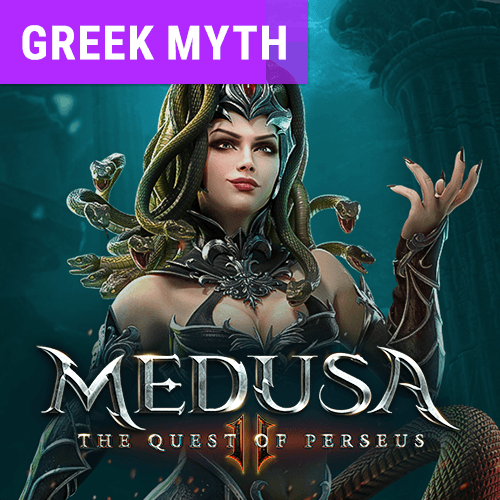
Medusa 2 follows Perseus on a five-reel board. The sequel gives several kinds of stone imagery different roles, including a Stone Reels feature and a Soul Stone collection mechanic. Start with those entries in the information panel so you can recognize what a stone graphic represents in context.
What to find before you start
The player above opens the free-play version of Medusa 2. Give the title screen time to finish, then look for the five reels, their three visible rows and the symbol guide for the sequel without starting another round. Open the game’s own information screen for its symbol key. PG SOFT identifies this sequel as the Quest of Perseus; the mythology gives the visuals context without explaining which feature is active. Note where the key or rule illustration sits so you can bring it back after an unfamiliar result.
The shortest way to orient yourself is to separate the ordinary board from the game’s special screens. On the board, you can compare a normal symbol with a Wild or a Stone Reel marker. On a feature screen, the name of the feature matters more than the color of the background. Medusa 2 includes more than one special sequence, so a change in scenery is not enough to identify it.
Perseus and the Stone Reels feature
PG SOFT’s rules identify Stone Reels, Pots Selection and Soul Stone Collection as different named mechanics. Treat them as three entries, not as interchangeable labels for the same stone imagery. The Stone Reels entry concerns the board itself. The Pots Selection entry refers to a different presentation, and the Soul Stone entry is the one to read when the game explicitly shows collection information.
Perseus and Medusa provide the story context. They can help you remember which game you opened, but read a heading or an on-screen prompt before assigning a role to a portrait. A recognizable character can be part of the art even when the game has not started that character’s named sequence. In the demo, the results and balance are only virtual.
Keep these two parts of the interface separate
The rules describe a separate confrontation with Medusa within the free-spin feature. That is not the same task as reading an ordinary five-reel result. During the free-spin presentation, look at any explicit progress message before returning your attention to the rows. It can help explain why the screen changes, while the symbols themselves show what landed.
Medusa 2 also has Wild substitution. Find the illustration in the rules rather than assuming that every unusual icon is a Wild. In particular, a Wild symbol and a Soul Stone may both stand out visually, yet the guide gives them different jobs. Reading those entries consecutively makes it easier to tell an ordinary substitution from a separate feature cue.
Read two different situations side by side
Imagine the ordinary board comes to a stop and highlights a Wild alongside familiar reel symbols. Begin with the Wild entry and look for the highlighted positions, not the introduction to the Medusa confrontation. Nothing about an ordinary highlighted combination, on its own, establishes that the free-spin sequence has started. The board itself and its labels provide better evidence than theme alone.
Now imagine the interface stops showing the usual reel view and displays a named Pots Selection screen. The sensible first step is to read that screen’s prompt, then compare the corresponding entry in the information panel when you return. Do not apply a Stone Reels example to a differently named feature merely because the imagery suggests that both belong to the same story.
Both situations are hypothetical examples of how to read the screen in Medusa 2. Their value is in distinguishing a starting cue from a visual consequence. The provider’s rules are the reference for that distinction. If you only see the ordinary game, you can still check each example in the help panel and observe where its graphics and numbers would be reported. There is no need to keep trying to make either scene appear.
What to check in the provider’s information panel
Start in the general section of the game rules and read the symbol illustration that shows a Wild. Look back at the five columns before trying to memorize any feature names. The goal is to recognize the board’s ordinary language first: what constitutes a symbol position, where the result is highlighted and where the game reports the information about the current round.
Next compare the named features in the information panel. Read the Stone Reels material before the selection and collection entries, then find the free-spin encounter with Medusa. This order lets you work from the ordinary board toward the specialist screens. If a term appears again later, check which heading it belongs to rather than guessing from a similar icon.
How do I tell the two apart? Compare the heading attached to the feature with the part of the interface that changed. Stone Reels directs attention to the reels; Pots Selection directs attention to the separate interaction shown on that screen; a Soul Stone prompt directs attention to the collector information. These are useful labels to remember even if a short demo never shows all of them.
Do I need to see the feature in free play? No. If you are trying to understand the difference between a stone effect and the actual Medusa encounter, the provider’s information panel is the better comparison. It shows each subject under its own heading. A few ordinary rounds can help you find your way around the five-by-three layout, but they cannot substitute for reading the feature rules.
Use the free-play screen as a reference
A high or low displayed figure would describe one simulated result. It would not establish how often you will see one of the stone features, nor whether the confrontation with Medusa is likely to appear during a brief visit. Use the display to learn where the game shows progress and where it shows the result, then leave the frame when you have seen what you need.
Results in Medusa 2 describe what happened on this simulated board. They do not establish a future sequence, the value of a prize, or the terms of another version of the game. In particular, each simulated feature can be understood from the corresponding rule example without waiting for a round to match it exactly. You can leave the player after checking the part of the interface you came to understand.
Source notes and availability
This guide uses PG SOFT’s official Medusa 2 information for the game rules. The official game catalog page identifies the title. The existing demo listing is credited for discovery, not for this text. The free-play frame is hosted by the provider and may have its own availability or language options. See the website policies for more about the service.