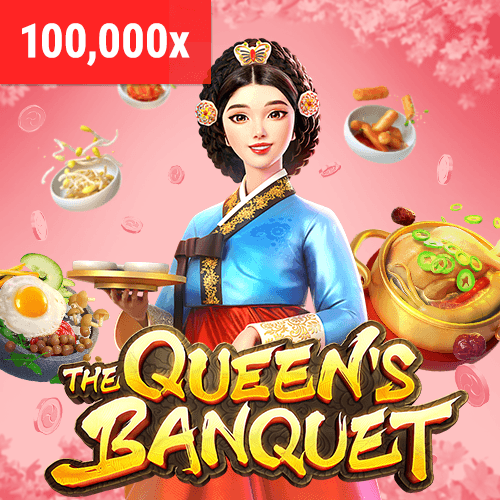
About The Queen’s Banquet Demo: A Royal Table
This is a third-party free-play demo, not real-money play on Demo slot pg. Availability and access checks are controlled by the provider. Demo results do not predict future outcomes.
The Queen’s Banquet uses Korean cuisine as part of a royal banquet theme. Its food imagery is a good reason to begin with the symbol list rather than trying to identify every dish while the board is moving. The in-game illustrations show which parts of the setting carry over into the reel layout.
Start with the way this board reads
Open The Queen’s Banquet from the free-play button above. The game appears inside the provider’s player, while the notes here sit below it. On the opening screen, find the six main reels and the extra strip below the middle four columns. Then locate the information menu inside the game itself. It is the place to check the symbol key or reopen a feature illustration without having to wait for the same animation. The food illustrations provide the banquet theme; comparing the middle bottom strip with the two outer reels explains a visual detail the artwork alone cannot.
The Queen’s Banquet establishes its royal Korean setting through the table and food artwork. That imagery gives you a useful way to recognize the game, but the important outline is the playable board. Start with six main reels and five rows, then see where the provider draws the separate lower strip under reels two through five.
Look at the table as a symbol set
The extra lower strip is worth finding before opening a sequence of play. It is physically below the central reels, so an image cropped to the rectangular part of the board would miss it. Use the end reels as fixed reference points; the lower strip does not extend below those outermost reels in the layout shown by PG SOFT.
The original game information labels a feature called Wilds-on-the-Way. Start with that heading in the provider’s rules and watch the highlighted positions in its illustration. The title of the feature refers to a specific rule, not all activity on the reels. It is more informative to compare the shown locations than to follow only the banquet animation.
Read the second rule on its own
The provider also describes a duplicated-reels feature. Do not confuse it with the extra strip that is already part of the original layout. One is an event explained in a feature section of the help, while the other is a place on the board. The guide can help you compare the starting and later displays side by side.
The game presents changing symbols within the existing layout. It helps to pick a location and compare it when the screen settles, rather than assuming the screen grew because several positions are moving at once. The guide’s drawn board is the reference for where the extra strip sits and which part of the display a feature affects.
Two boards to imagine before using the demo
Suppose the screen is still at its ordinary starting layout and you see a food symbol below the middle portion. Look alongside the lowest position on an outer reel. The extra area is part of the layout under the middle columns, so its presence alone does not show that the duplicated-reels feature is running.
Now imagine the provider has identified a specific feature and the display is emphasizing positions in more than one part of the board. Check the name and compare the before and after with its illustrated explanation. You can tell more from seeing what has changed than from noticing a repeated image at the conclusion of the animation.
These examples are ways to read The Queen’s Banquet, not reconstructed playing sessions. The picture before a transition can tell you which visual rule to read; the picture after it tells you what the interface displayed. Compare the two in that order. You can learn the cue from the provider’s drawing even if it never appears in the rounds you open. A brief demo is a poor basis for guessing when an event happens.
Use the game’s help panel in this order
Read the layout illustration before opening the list of symbols. Count across the main grid, look below reels two through five, and find an edge where the extra strip stops. Those visible details give you a map you can use with either the Wilds-on-the-Way or duplicated-reels entries.
Then compare the effects in the regular game with the separately labelled free-spin mode in the same guide. Read a feature message before examining the final number at the bottom of the screen. The message tells you which set of illustrations to consult; the number reports an event in the simulation.
What should I compare first? The critical comparison is between the baseline floor of the playable positions and a change that happens later. Read the lower strip as a structural feature of the board. Read a duplicated display by its own feature name and changed positions, not by the mere fact that an icon is visible below the central reels.
Do I have to see both examples in play? No. A still view in the provider’s rules can show which positions are actually playable. This is enough to distinguish the central strip from the decorative feast. You can also read the duplicated-reels entry without waiting for it to occur. A visit to free play does not have to include an unusual animation to be useful.
What the free-play balance can tell you
The artwork is not a catalogue of an actual menu and the game’s numbers are not cash. Focus on learning the layout and interpreting the feature labels. A pattern on a virtual-credit board cannot tell you how another version is configured, and a previous round cannot tell you what comes next.
Treat the board in The Queen’s Banquet as an interface to explore rather than a test of what you can earn. Its running total represents virtual credits, and an amount highlighted for one round is not something you can withdraw from this page. Once you can point to the places where the game reports its symbols, changes and results, you have got the main use out of the demo. Closing it without seeing every feature is fine.
Source notes and availability
This guide uses the official PG SOFT rules for The Queen’s Banquet for the game rules. The existing demo listing is credited for discovery, not for this text. The free-play frame is hosted by the provider and may have its own availability or language options. See the website policies for more about the service.