About Zombie Blasters Demo: Follow the Arcade Alarms
This is a third-party free-play demo, not real-money play on Demo slot pg. Availability and access checks are controlled by the provider. Demo results do not predict future outcomes.
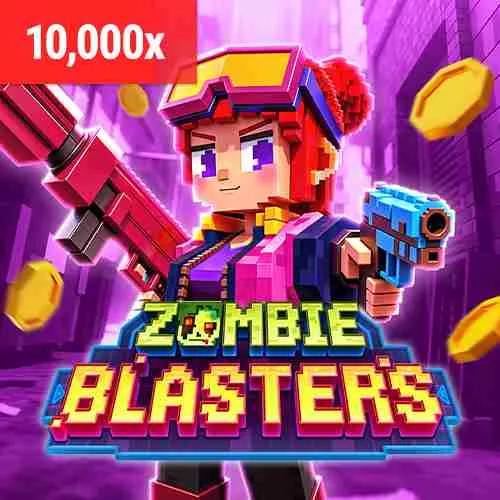
Zombie Blasters has the look of a cabinet game, from the pixel characters to the large arcade-style button. The alarm icon is more than decoration: when it participates in a qualifying result, the game can turn it into a multiplier symbol.
Start with the way this board reads
Open Zombie Blasters from the free-play button above. The game appears inside the provider’s player, while the notes here sit below it. On the opening screen, find the five-by-six grid, the pixel-art Alarm symbol and the guide illustration for the multiplier wheel. Then locate the information menu inside the game itself. It is the place to check the symbol key or reopen a feature illustration without having to wait for the same animation. PG SOFT describes the pixel treatment and arcade-style button; the Alarm image in the information panel is the more reliable reference for reading an effect. Before closing the menu, compare the Alarm image with at least one numbered multiplier illustration, paying attention to whether the number sits within a board position or outside the grid.
Zombie Blasters deliberately resembles an arcade cabinet, right down to the button graphics. The movement and color can pull your attention away from the smaller pixel icons. Use the opening board’s edges and the information panel to identify the top and bottom rows before trying to follow an Alarm symbol through a change.
Pixel art and a wheel-driven feature
The provider describes an Alarm symbol participating in a winning combination transforming into a multiplier symbol. That is a conditional change, not a different name for every Alarm graphic. Find the original icon first and then note whether the screen shows a numeric value associated with the changed symbol.
If a quick animation covers the original icon, use a neighboring position as a reference. The board remains a five-by-six grid even when one image is replaced by another with a number. Look at both states of the position rather than trying to decide what happened from the numeric overlay alone.
Read the second rule on its own
PG SOFT separately describes a multiplier wheel that transforms multiplier symbols. The wheel is therefore another part of the sequence, not simply a larger picture of the Alarm. Locate it in the provider’s example and see how the feature relates to multiplier symbols that are already on the board.
The official guide also describes a Scatter threshold for free spins, beginning at four Scatters. This is a different question from whether a particular Alarm participated in a combination. Read the Scatter entry as a count on the grid and the Alarm entry as a condition that can change one icon’s role.
Two boards to imagine before using the demo
Imagine you see an Alarm in an ordinary combination and then a number appears in the same position. Compare the game’s symbol picture before the animation with the multiplier graphic after it. That gives you an illustration of how to follow a change in a single cell, without suggesting the game will show it in your session.
Now imagine you see the larger multiplier wheel. This time, use the provider’s wheel section rather than trying to read only the original Alarm. If multiplier numbers change, note where they were previously visible and where the interface reports the new values. A wheel animation is not a separate Scatter count.
These examples are ways to read Zombie Blasters, not reconstructed playing sessions. The picture before a transition can tell you which visual rule to read; the picture after it tells you what the interface displayed. Compare the two in that order. You can learn the cue from the provider’s drawing even if it never appears in the rounds you open. A brief demo is a poor basis for guessing when an event happens.
Use the game’s help panel in this order
Read the illustrated page for the ordinary layout before the feature page. Make a mental note of how the guide distinguishes the Alarm, a multiplier icon and the Scatter. Those are three symbols or states to recognize, not three graphics with the same function. The old arcade styling is a helpful memory cue, not a rule.
Then compare the icon’s number with the amount shown for a completed simulated result. The interface can display multiple numbers in separate places. Look at the words or graphics around each so you do not mistake a symbol’s value for a balance, or the wheel’s result for the number of remaining free spins.
What should I compare first? Compare the Alarm’s identity before and after the change. If you are already looking at the wheel feature, first check the set of multiplier symbols it applies to. A colorful pixel animation by itself cannot tell you which example is appropriate. The guide’s labels do that job.
Do I have to see both examples in play? No. The rule images let you see both kinds of circle or number without needing to trigger the wheel. A short free-play visit is also useful just for learning the shape of the five-by-six board. You need not stay until an especially busy sequence appears.
What the free-play balance can tell you
The retro visuals make the demo distinctive, but an animation on an arcade-styled board does not reveal what the next display will be. A virtual multiplier and the running balance do not have cash value. Use the demo to understand where the original icon and its new label appear, then stop when that makes sense.
Treat the Zombie Blasters board as an interface to explore rather than a test of what you can earn. Its running total represents virtual credits, and an amount highlighted for one round is not something you can withdraw from this page. Once you can point to the places where the game reports its symbols, changes and results, you have got the main use out of the demo. Closing it without seeing every feature is fine.
Source notes and availability
This guide uses PG SOFT’s official Zombie Blasters information for the game rules. The official game catalog page identifies the title. The existing demo listing is credited for discovery, not for this text. The free-play frame is hosted by the provider and may have its own availability or language options. See the website policies for more about the service.